

Courses
Teaching has become one of the most meaningful parts of my career. This section serves as a companion resource for the courses I teach, providing students with supplemental lectures, notes, demonstrations, project breakdowns, and reference material used throughout the semester. While these pages do not replace the courses themselves, they offer additional context and resources that students can revisit as they develop their skills and continue growing as artists.
Currently undergoing active updates. New content and changes are being made as you read this!
Organic Modeling
This beginner-level studio course offers an overview of character sculpting and modeling techniques, laying the foundation for creating detailed, production-ready 3D character sculptures. It blends traditional art principles with a technical approach to mastering ZBrush for both organic and hard surface techniques.
Required: Graphic Tablet and Hard-drive or USB/C Storage Device
Audience: This is a Freshman level course required of ANGD BFA majors.
No project content matches this search.
Anatomy for 3D Artists
This lecture course develops anatomical knowledge for artists and animators, with a focus on superficial human anatomy, including major muscle groups, skeletal structures, and surface forms of the body.
Required: Graphic Tablet and Hard-drive or USB/C Storage Device
Audience: This is a Sophomore level course required of ANGD BFA majors.
No project content matches this search.
Environment Production I–III
This progressive studio course sequence develops the skills required to create production-ready 3D environments for both real-time and offline workflows. Students explore modular workflows, hard-surface and organic asset creation, materials, lighting, composition, optimization, world-building, and engine integration while producing increasingly complex environments for games and cinematic applications.
Required: Graphic Tablet and Hard-drive or USB/C Storage Device
Audience: This is a Sophomore–Junior level course required of ANGD BFA majors.
No project content matches this search.
Character Modeling I–III
This progressive studio course sequence focuses on the creation of production-ready 3D characters for both real-time and offline workflows. Students develop skills in anatomy, sculpting, topology, clothing, materials, grooming, optimization, and rigging while advancing from foundational character principles to fully realized, industry-centric character art.
Required: Graphic Tablet and Hard-drive or USB/C Storage Device
Audience: This is a Sophomore–Junior level course required of ANGD BFA majors.
No project content matches this search.
Source Control
Version control and asset-management workflows for art and code teams. Each thread covers the setup, day-to-day usage, and pitfalls of a specific tool.
No content matches this search.
No courses match your search.
Alien Bust
Elemental Golem
Nerf Gun
Bipedal Character
Skeletal Reference Study
Model a skeletal reference for animation study.
Muscle Group Analysis
Layer primary muscle groups over a base skeleton.
Gesture & Figure
Dynamic figure study focusing on movement and weight.
Trim Sheet Design
Create a production-ready trim sheet for an environment set.
Modular Kit
Build a modular architecture kit for real-time use.
Hero Prop
Fully textured hero asset with LODs.
Full Scene Assembly
A complete, lit environment built from the semester's assets.
Base Mesh
Creating Realistic Real-Time Eyes
A focused eye study covering anatomy, iris structure, and sculpt development for realistic character work.
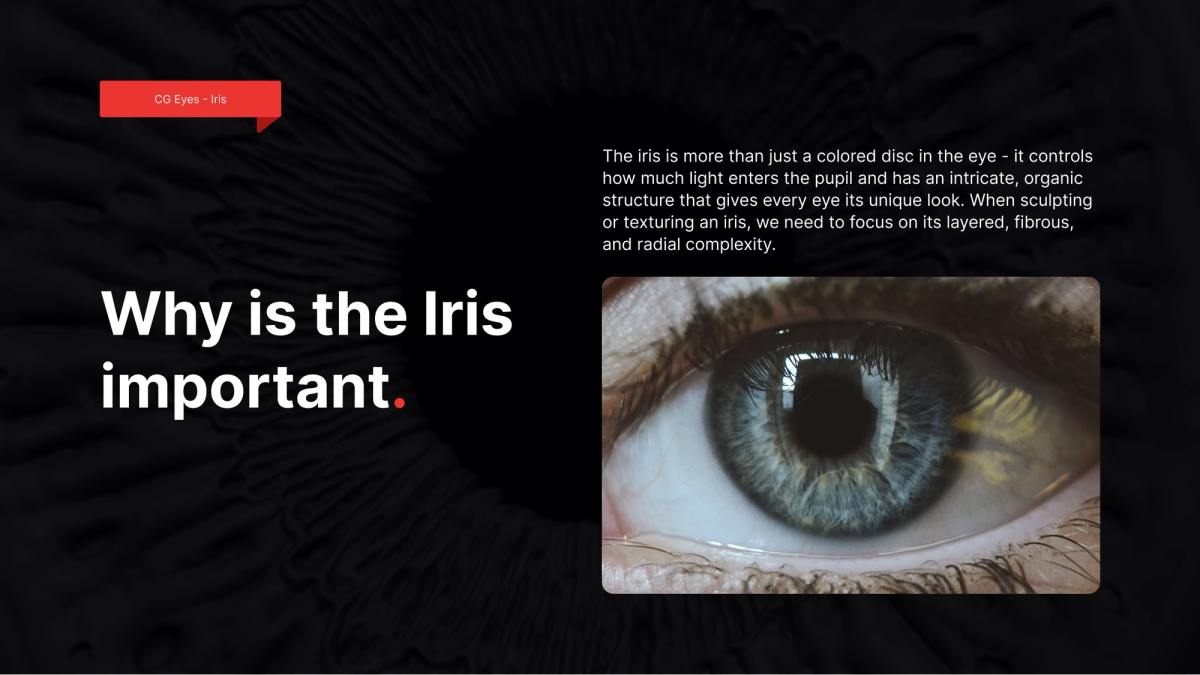
This chapter-based lesson breaks down how to build believable real-time eyes for character work, from anatomy and sculpting to texturing, shading, and final presentation.
Anatomy of the Eye
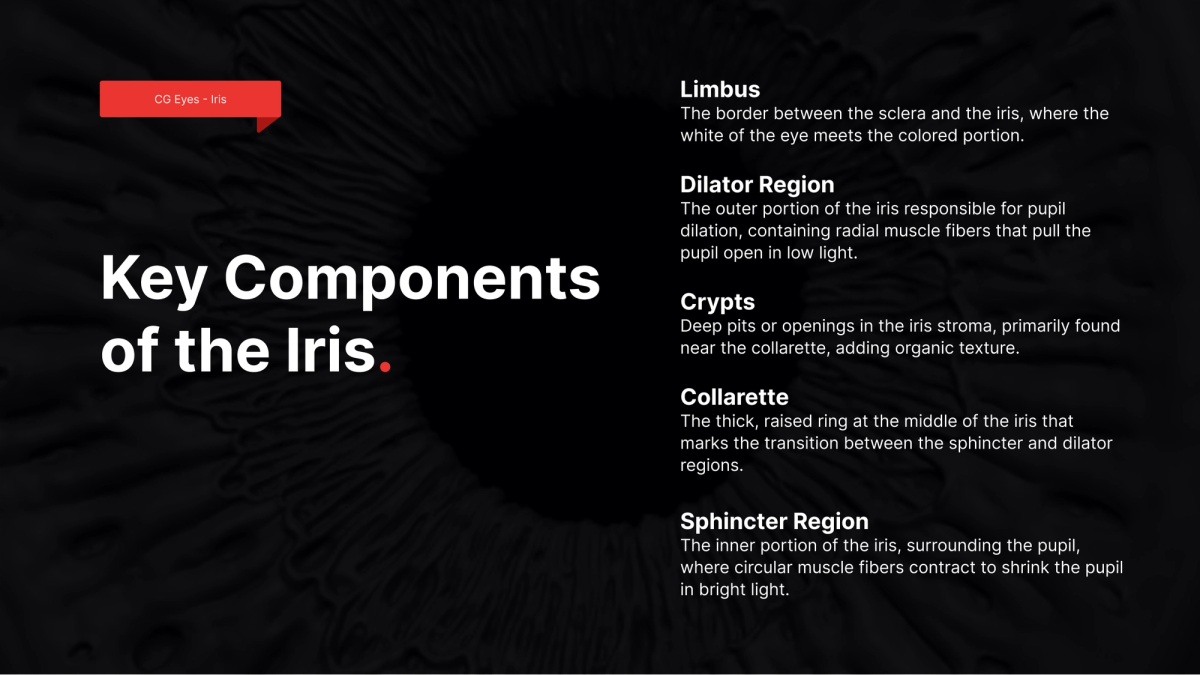
The eye is one of the most expressive and visually complex forms in the face. Understanding the limbus, dilator region, crypts, collarette, and sphincter region helps you make better sculpt and texture decisions that hold up in closeups.
If the eye reads correctly, the entire character portrait becomes more believable.
Sculpting the Iris
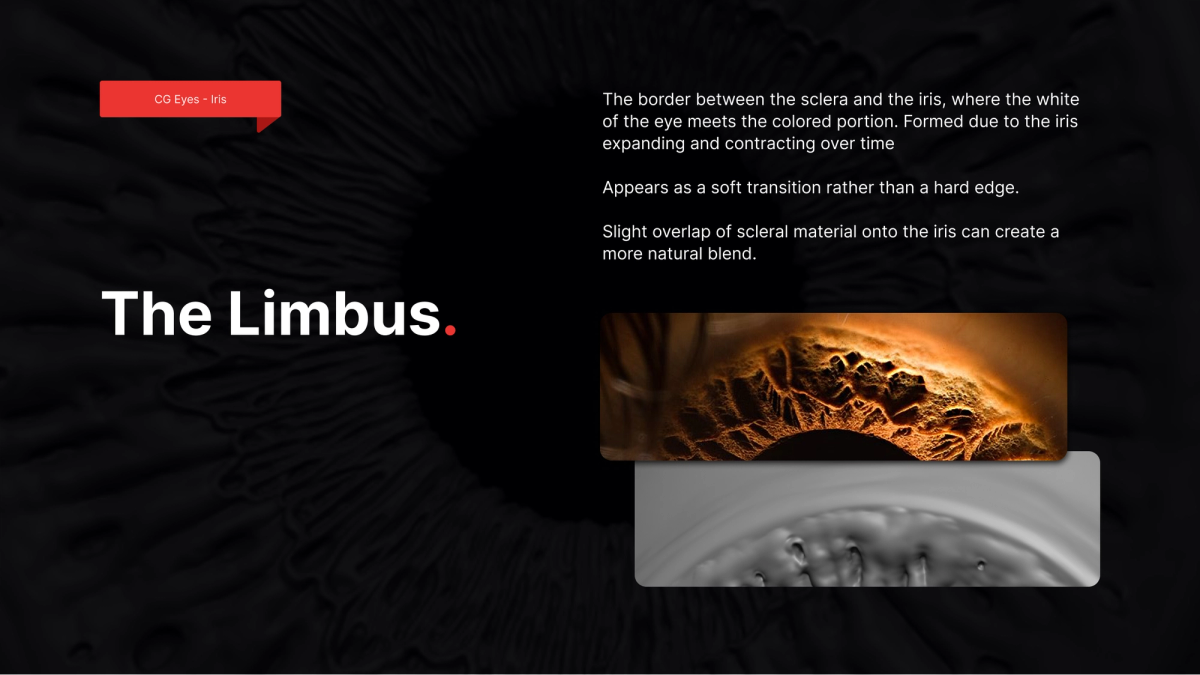
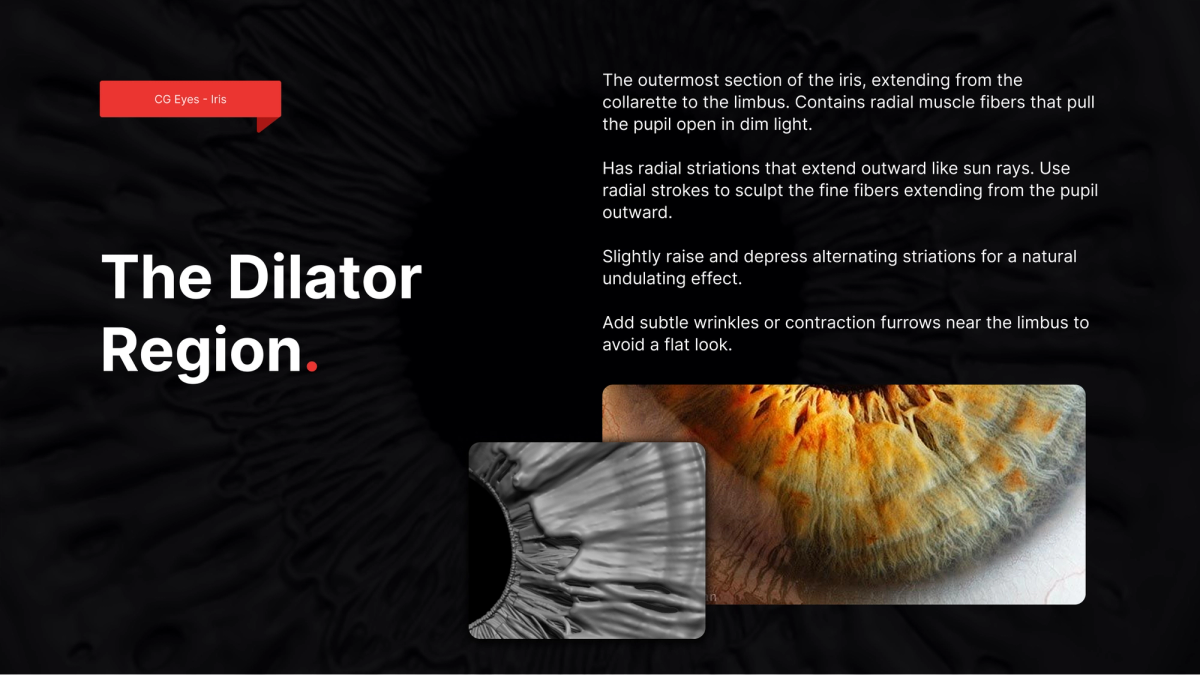
Begin by establishing the major iris rings and transitions before introducing small breakup patterns. Keep values and height relationships readable so normal maps bake cleanly.
Creating the Cornea
The cornea is a separate form and should read as a clean, convex lens over the iris. Preserve silhouette and avoid noisy curvature that can break highlight behavior in real-time lighting.
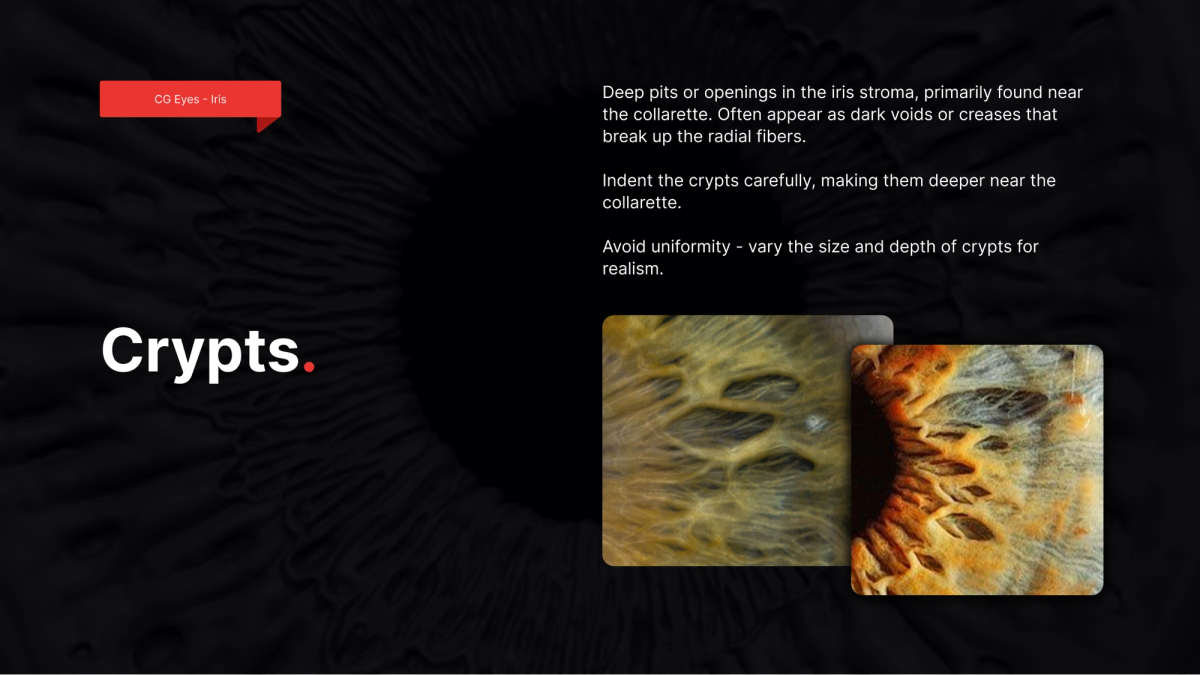
Texturing the Eye
Texture pass focuses on value control, hue variation, and directional breakup that supports the anatomical rings rather than fighting them.
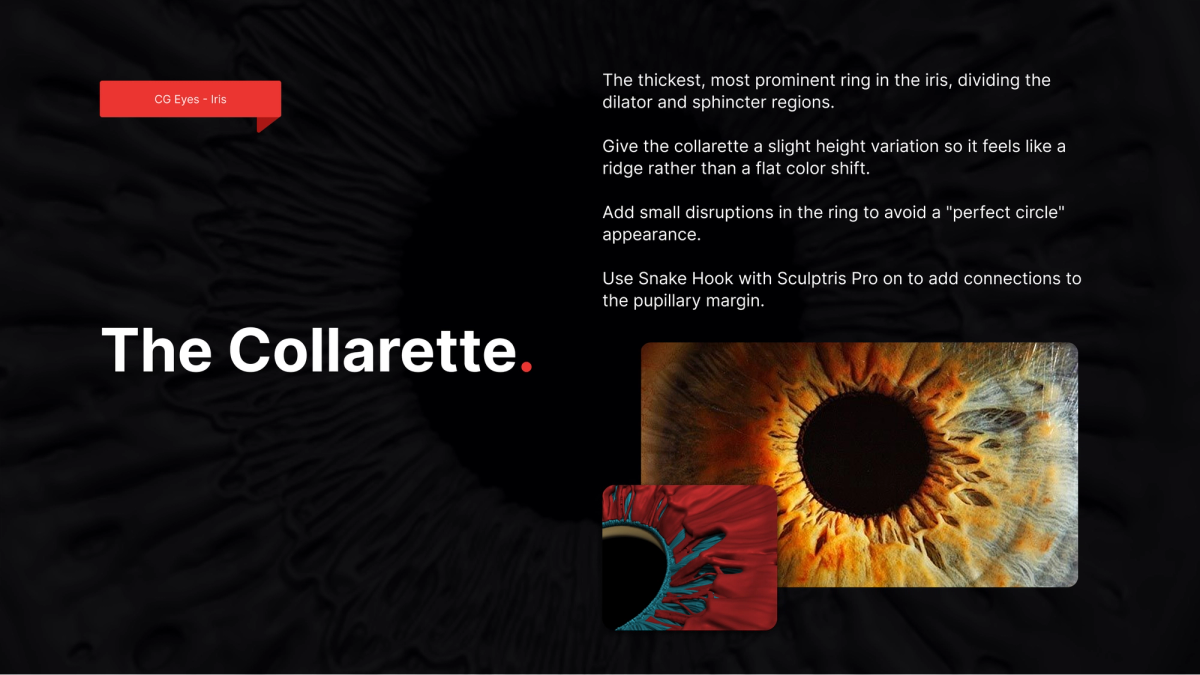
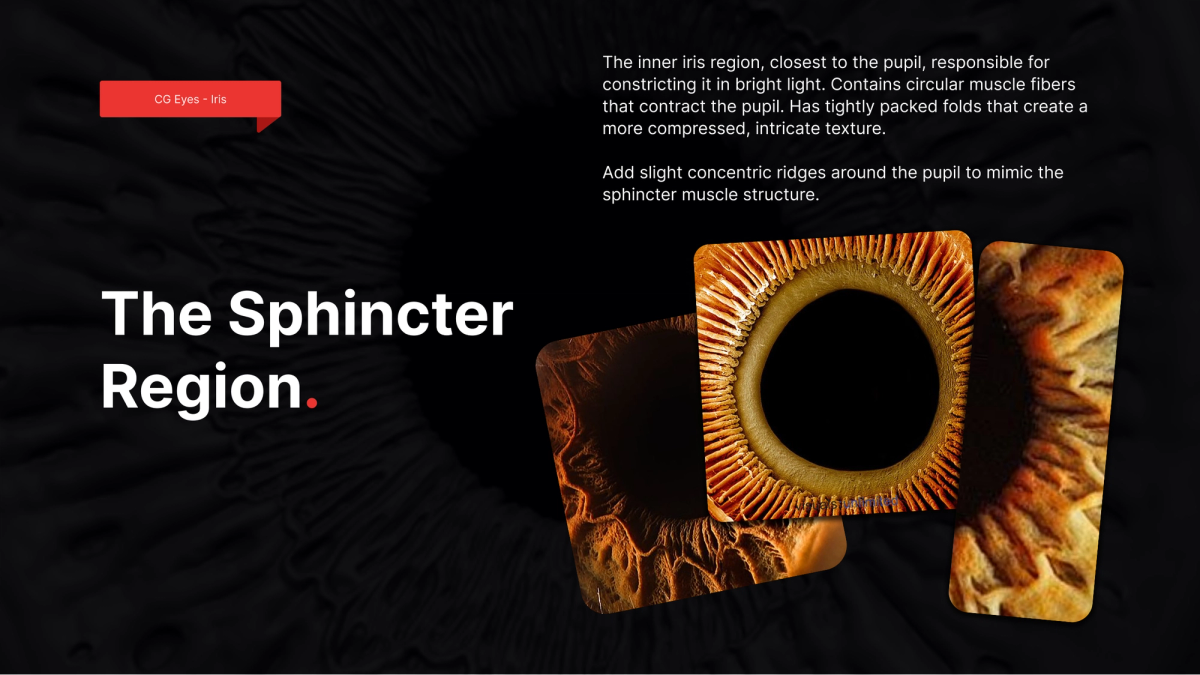
Eye Shaders and Materials
Build separate, intentional responses for sclera, iris, and cornea. Keep specular behavior physically coherent and tune roughness ranges to maintain depth without over-gloss.
Supporting resource: Anatomy for Sculptors
Rendering and Presentation
Final presentation should clearly communicate form, material separation, and readability at multiple distances. Include neutral lighting, closeups, and one beauty angle for portfolio delivery.
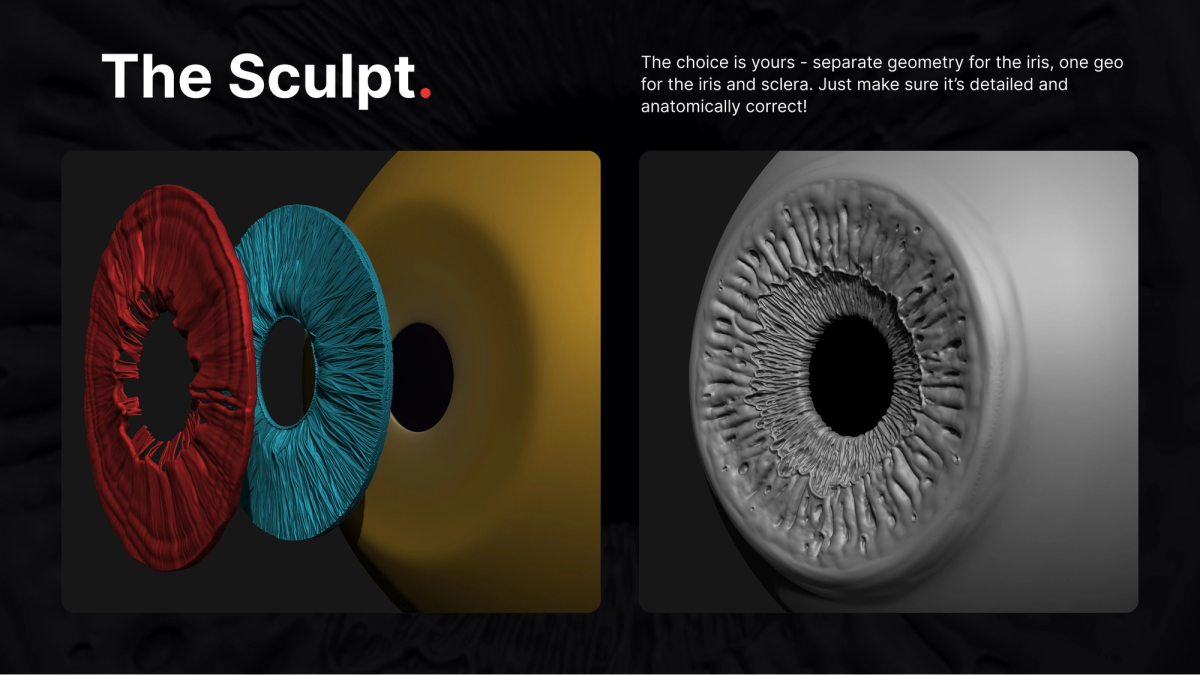
Retopology
Texturing
Final Character
Git
Distributed version control for code and lightweight assets — branching, commits, and collaboration fundamentals.
Perforce
Centralized version control built for large binary game assets, changelists, and stream-based workflows.
Google Drive
Cloud storage and sync for reference, documents, and shared project files — plus where it breaks down for production.
Google Drive for Desktop
Google Drive for Desktop is an easy way to collaborate on projects without setting up a full source control system like Perforce or Git. While it doesn't provide version control or file locking, it works well for individual projects and small teams that simply need access to the latest files.
How It Works
Drive for Desktop keeps your files synchronized between your computer and Google Drive.
When you edit, move, rename, or delete a file, those changes are automatically synchronized to the cloud and shared with anyone who has access to the project folder. This helps ensure everyone is working from the latest version of the project.
Note: Avoid having multiple people edit the same file (such as a Maya scene or ZBrush project) at the same time. Google Drive cannot merge changes like Perforce or Git.
Download & Install
Download Drive for Desktop: Here!
- Run `GoogleDriveSetup.exe`.
- Follow the installation instructions.
- Sign in with your Google account.
Once installed, Google Drive runs in the background and creates a Google Drive location in File Explorer.
Accessing Your Files
- Open the Google Drive folder.
- Open My Drive or a Shared Drive.
- Double-click the file you want to open.
- Google Docs, Sheets, Slides, and Forms open in your web browser.
- All other files open in their native application (Maya, ZBrush, Photoshop, etc.).
Sync Settings
Drive for Desktop supports two sync modes:
Stream Files (Recommended)
Files stay in the cloud and are downloaded when you open them.
- Uses less disk space.
- Best for most students.
Mirror Files
Keeps a complete copy of your Google Drive on your computer.
- Available offline.
- Uses more storage space.
- Good for desktop workstations with plenty of free space.